From payroll inputs to a clear decision
Every number.
Every sign-off.
Bring the pay run into focus. Salary inputs, changes and approvals, in one considered workflow.
Shape your payroll workflowConfigured around your countries, calculation provider and review responsibilities.
01 / A closer look at the pay run
Follow the figures.
Then make the call.
Enter your amounts, inspect the change from the previous run, and move the worksheet through review and approval.
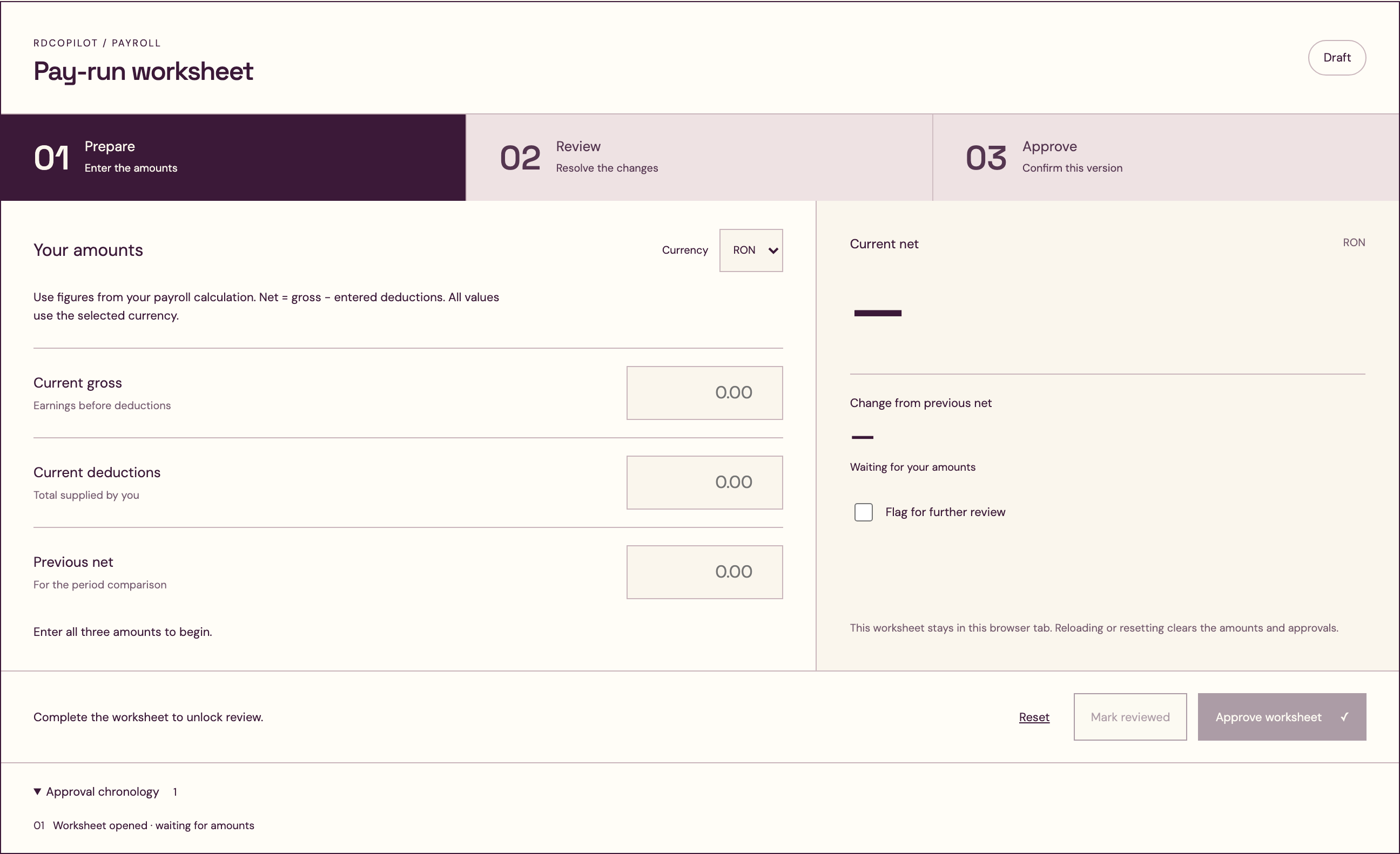
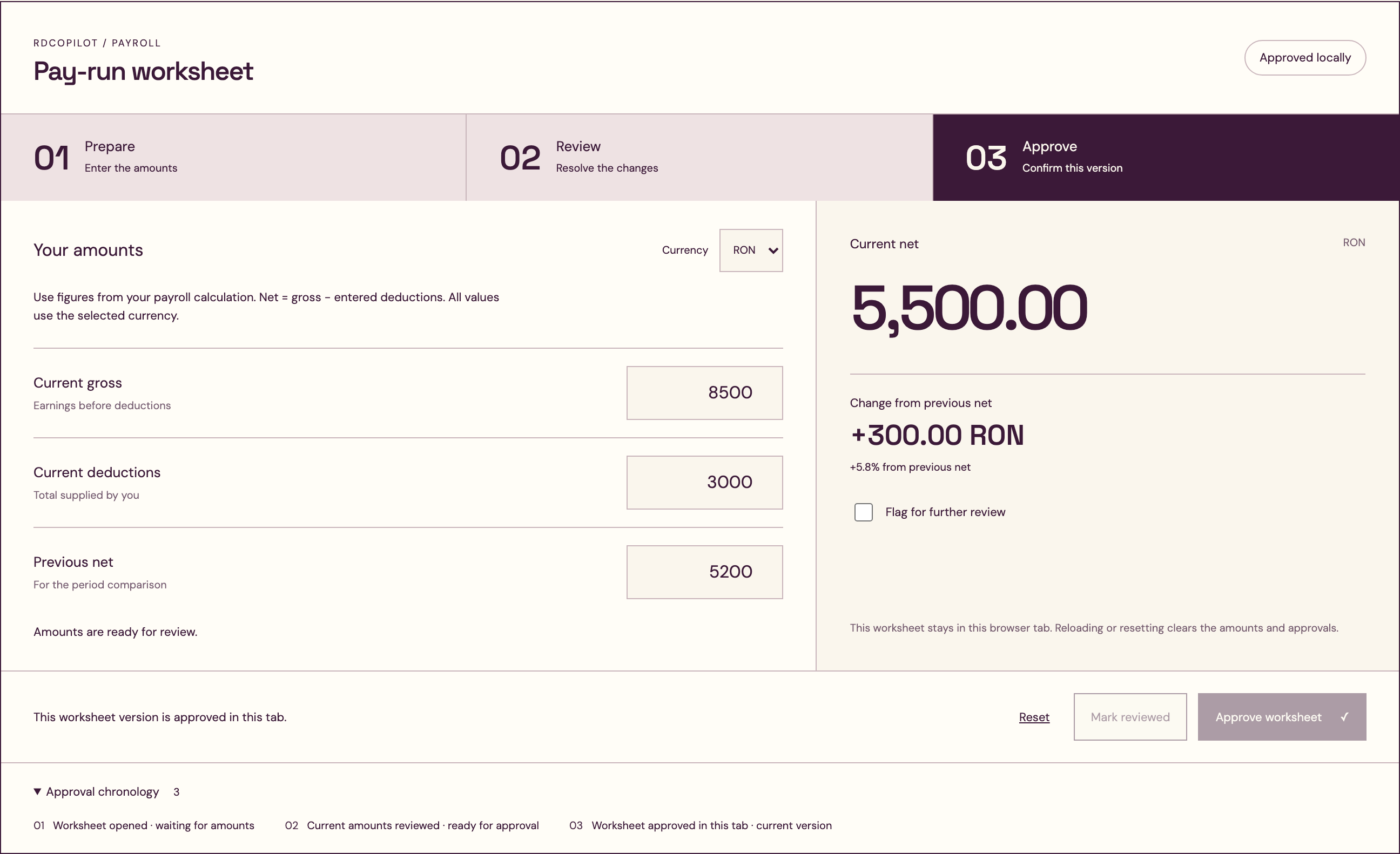
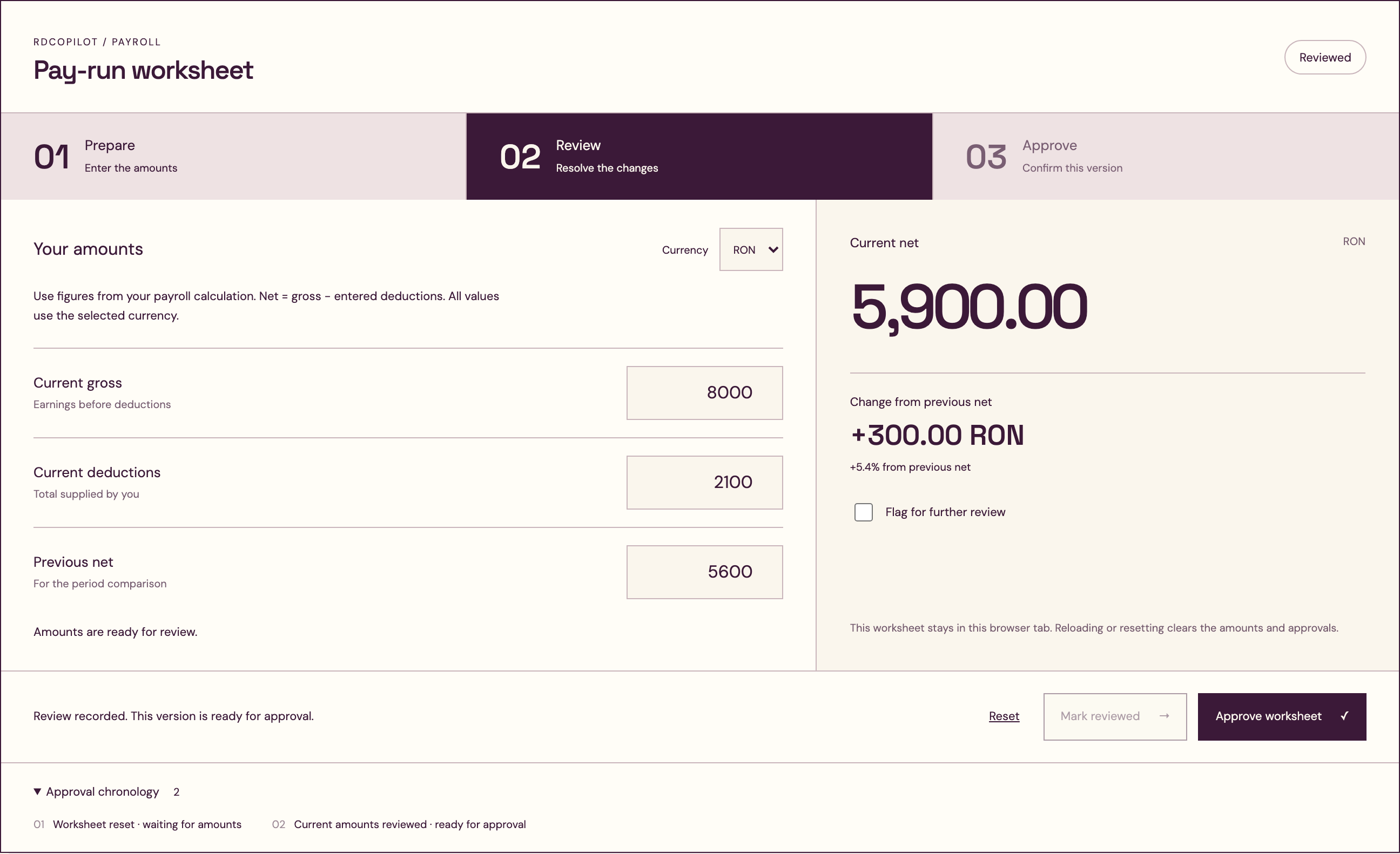
Pay-run worksheet
- 01PrepareEnter the amounts
- 02ReviewResolve the changes
- 03ApproveConfirm this version
Your amounts
Use figures from your payroll calculation. Net = gross − entered deductions. All values use the selected currency.
Enter all three amounts to begin.
This worksheet stays in this browser tab. Reloading or resetting clears the amounts and approvals.
Complete the worksheet to unlock review.
Approval chronology 1
- 01Worksheet opened · waiting for amounts
A change deserves a second look
The difference is
in the details.
Put the previous run beside the current one. Review the net change, resolve an open flag, and keep the approval tied to the values that were checked.
Change a figure after review? The worksheet returns to draft, ready for a fresh check.
02 / Built around your payroll context
Your countries.
Your rules of work.
Start with where your teams work and who owns the calculation. We define the workflow and its boundaries with you before implementation.
- 01 Country & calculation
- Countries, legal entities, currencies and the calculation provider are agreed per project. Local rules and outputs are validated within that scope.
- 02 People & permissions
- Define who prepares, who reviews and who approves. Limit salary-data access to the roles that need it.
- 03 Records & delivery
- Agree payslip formats, accounting handoff, deployment location and minimum necessary retention for payroll records.
The handoffs around payroll
03 / Your next pay-run workflow starts here
Let’s get the
details right.
Tell us your countries, team size, current payroll provider and the approval steps you want to improve. We’ll shape the scope with you.
Request a payroll quote Register access interestA closer look